Discover the Testy app, a user-friendly tool for creating quizzes and surveys. Effortlessly engage your audience and collect feedback in minutes.
Discover the Testy app, a user-friendly tool for creating quizzes and surveys. Effortlessly engage your audience and collect feedback in minutes.
Test Centre: Wood Green
Date: 22nd April 2026
Test Centre: Pinner
Date: 31th April 2026
Test Centre: Croydon
Date: 4th May 2026
Test Centre: Erith
Date: 7th May 2026
Test Centre: Barking (Tanner Street)
Date: 9th May 2025
Test Centre: Isleworth
Date: 18th May 2026
Test Centre: Hendon
Date: 4th May 2025
Test Centre: Hither Green
Date: 27th May 2026
Test Centre: Tolworth (London)
Date: 1st May 2026
Test Centre: Tolworth (London)
Date: 1st May 2026
What if you could settle the ‘pineapple on pizza’ debate or poll friends on a movie night choice in minutes? Creating a quiz or survey once felt like a job for tech experts, involving clunky software and confusing menus. Thankfully, modern tools now make it surprisingly simple to gather opinions, test knowledge, or engage your community.
These tools are built on the idea that anyone should be able to ask questions and get answers without needing special skills. Using the Testy app as an example, you can see the benefits of such a survey tool, from collecting feedback to social fun, and gain the confidence to create something useful right away.
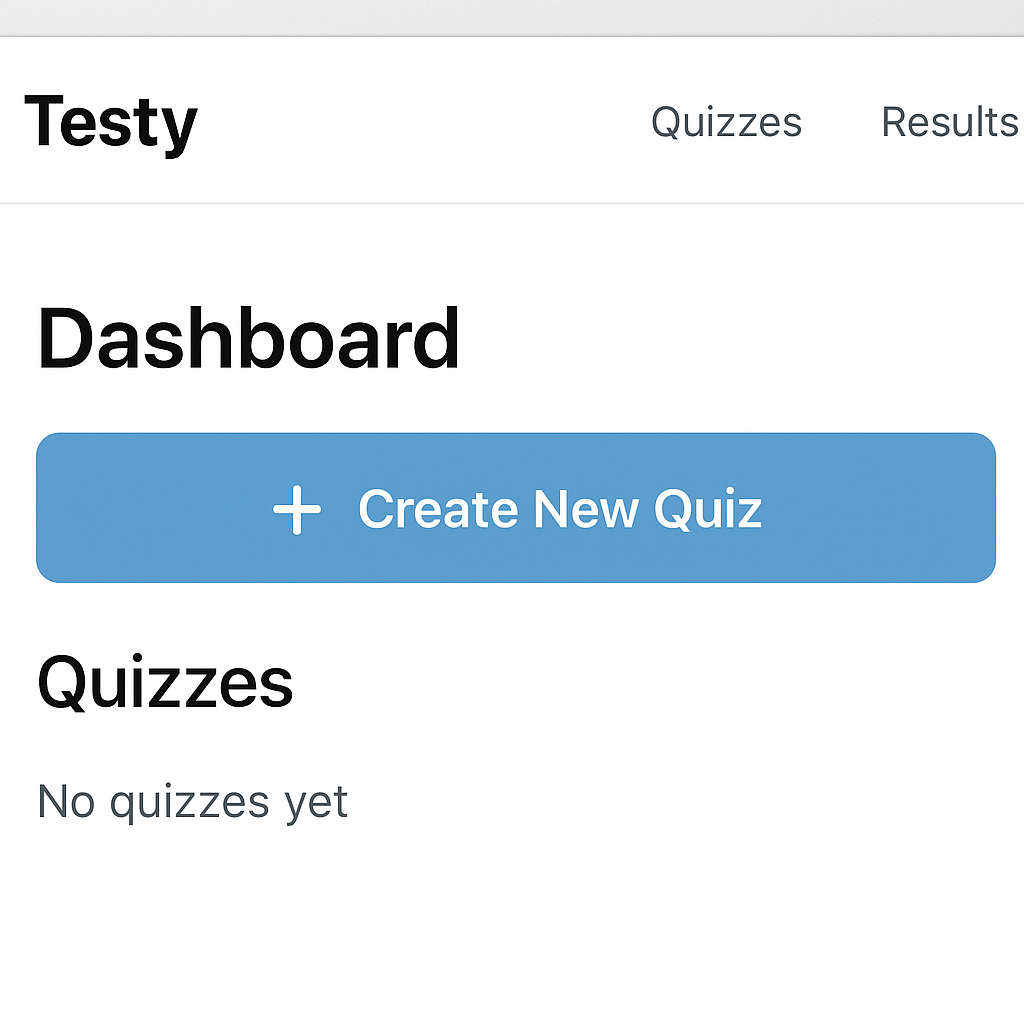
Ready to turn your idea into a real quiz? You can build and launch your first one in under five minutes. The process is designed to be straightforward, letting you focus on your questions, not confusing menus.
The interface is clean and uncluttered. When you add a question, simple text boxes appear for you to fill out. There’s no complex formatting to learn—just type and go. You can add as many questions as you need, one after another, building your assessment with confidence.
That shareable link is your key to an audience. Simply copy it and send it to your students, friends, or study group via email or text so they can start immediately.
While a basic quiz is effective, a few tweaks can make it more exciting. You can introduce a dash of gamification in online quizzes by adding a timer. Like a game show, a countdown clock adds a fun layer of urgency that encourages quick thinking. You can also enable automatic scoring to give participants instant feedback, making it perfect for study groups or friendly competitions.
If your quiz has no "correct" answers, you can easily create a personality test for social media—like "What's Your Spirit Animal?" Instead of marking an answer as right or wrong, you link it to a specific outcome. For instance, if a user picks mostly bold, adventurous answers, you can assign them the "Lion" result.
Finally, you are not limited to just words. The best mobile testing app features let you incorporate visuals. Ask participants to identify a brand's logo from a line-up of images, or let them choose their favourite design from a photo gallery. You can also use open-ended questions to collect opinions. Once your audience has taken the quiz, all these results—from scores to personality types—are neatly organised for you to review.
Once you've shared your quiz, the real magic begins. Testy automatically gathers every response into a clean Results Dashboard, which becomes your command centre for understanding what your audience thinks. Instead of sifting through individual answers, all the information is organised for you, making collecting audience feedback easily a reality.
The dashboard brings your data to life with simple charts. For a question like, "What's our new team T-shirt colour?", you’ll instantly see a pie chart showing what percentage of people chose blue versus green. You don't need to be a data expert to learn how to analyse quiz results; the visuals make the most popular answers obvious at a glance.
If your chart shows that 70% of your friends voted for chocolate, you know exactly what to stock up on for the party. This simple process—asking a question and getting a clear, actionable answer—is at the heart of making smarter decisions.
The choice between a quiz maker app vs a survey platform comes down to one simple question: are you looking for right answers, or just answers? Think of it as the difference between giving a classroom test and having a group conversation.
A quiz has a correct answer key, making it one of the best alternatives for creating online tests or a fun trivia night. In contrast, a survey tool is for collecting thoughts and preferences where there are no "wrong" choices.
Before creating your project, just ask: "Am I scoring this?" If yes, build a quiz. If you’re gathering perspectives, a survey is your best bet. Of course, ensuring data is handled safely is just as important.
Whenever you use an online tool, it's smart to ask where your data goes. With Testy, the information you collect belongs to you. The app acts as a secure mailbox—we provide the slot and the lock, but the letters inside are entirely yours. This principle puts you in control and is central to how a user feedback collection tool should work.
To help you build that same trust with your audience, you can enable ‘anonymous responses.’ Turning this on means all personal details are completely hidden from the results. It encourages honest feedback on sensitive topics, as people feel safer sharing their true thoughts.
A commitment to data privacy in survey apps isn't just a technical detail; it's the foundation for building confidence. When people trust the process, they provide better, more insightful answers.
You now have the framework to turn curiosity into clarity. Whether you're testing knowledge, gathering opinions, or just creating something fun, you can transform a simple question into a shareable, engaging experience.
Why not try it now? Open the Testy app and create your first free quiz—perhaps a ‘Movie Night’ poll. In just a few taps, you will be collecting audience feedback easily.
This is just the start. As your needs grow, more powerful features will be waiting. For now, enjoy the confidence that comes from having the answers right at your fingertips.
📚 Part of our Driving Test Booking Guide
This article is part of our comprehensive guide. View all Driving Test Booking articles →